How do I set the time on a digital Casio watch?
Almost every digital Casio follows the same logic, whatever the model: hold the top-left button until the display starts flashing, move between fields with the bottom-left button, change values with the bottom-right button. Once you know that pattern, you can set nearly any Casio made in the last forty years without a manual.
The four buttons and their jobs (most models):
Top-left (ADJUST): hold for 2-3 seconds to enter setting mode. The seconds usually flash first.
Bottom-left (MODE): in setting mode, this cycles through fields: seconds, hours, minutes, month, day, and so on.
Bottom-right (usually START/STOP or FORWARD): advances the flashing value. Hold it to fast-forward.
Top-right (LIGHT): just the light on most models, though a few use it to reverse values.
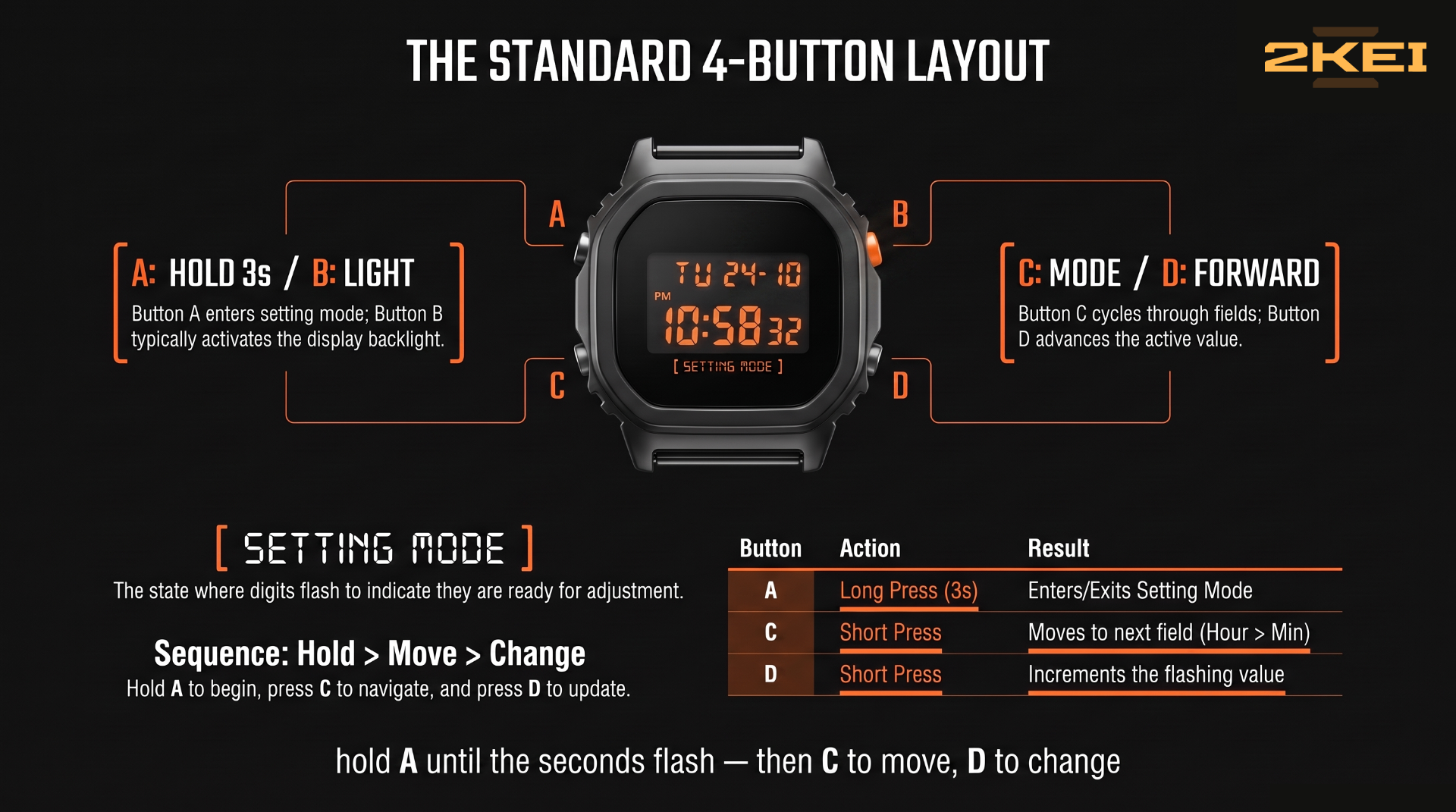
The sequence: hold ADJUST until flashing, press the flashing seconds' reset if you want to zero them, MODE to reach hours, advance, MODE to minutes, advance, keep going through the date fields, then press ADJUST once more to save and exit. The watch also exits on its own if you leave it alone for a minute or two.
12/24 hour format is almost always toggled with the bottom-right button while the hour field is selected, or shown as a dedicated field in the cycle.
Three-button models (like the F-91W family) drop the dedicated adjust button: press MODE repeatedly to reach the time-set screen instead of holding a button, then the remaining two buttons split the select/advance jobs.
When the pattern doesn't work: your module does something slightly different, and the fix is the module number on your case back — see our module number guide. Casio's manual archive is organized by that number, and our database lists it for every model we cover.
A DIGITAL HOME FOR YOUR DIGITAL WATCHES
Collection, batteries, and the story behind each piece. Free to start.
→ START FREE