How do I set a Casio watch with 4 buttons?
The classic four-button layout (A158W, A168W, W-59, AE-1200 and most vintage digitals) sets up the same way. Here it is as a plain sequence you can follow with the watch in your hand.
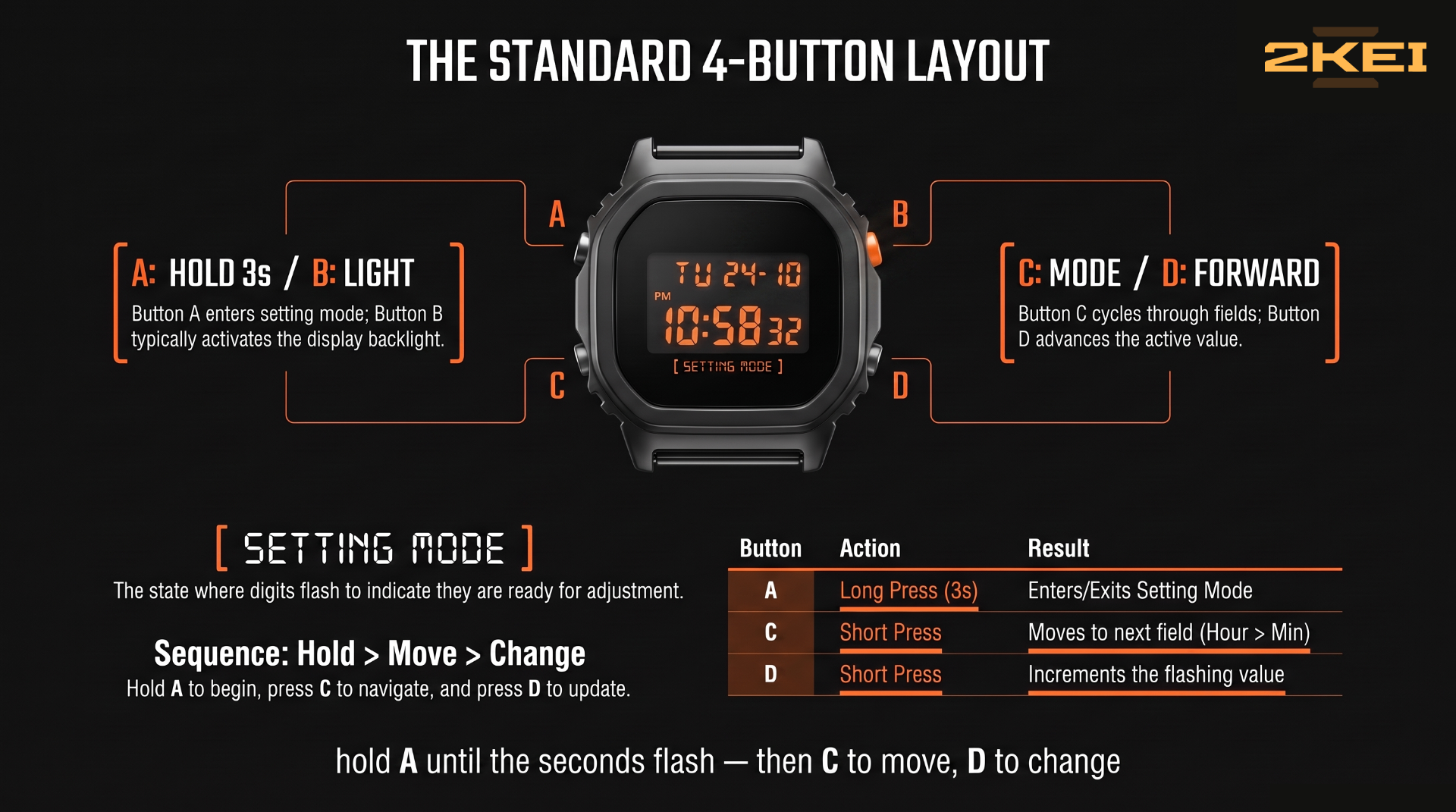
Hold the top-left button for about three seconds until the seconds digits start flashing. You're now in setting mode.
Zero the seconds (optional): with seconds flashing, press the bottom-right button when your reference clock hits :00.
Press the bottom-left (MODE) button once — the hour flashes. Advance it with the bottom-right button. Hold for fast-forward. Watch the AM/PM indicator; being 12 hours off is the classic mistake.
MODE again — minutes flash. Advance the same way.
Keep pressing MODE to reach year, month, day. Some modules also include a 12/24H field in this cycle; on others, pressing the bottom-right button while the hour is selected toggles the format.
Press the top-left button once more to save and exit. Done.
The day of the week sets itself — it's calculated from the date on nearly all modules, so if the day shown is wrong, your date is wrong, not the day.
If the digits flash but buttons do something unexpected, your module deviates from the standard layout. The module number in the small rectangle on your case back plus Casio's manual archive gives you the exact sequence — our database lists module numbers for every model we cover, and the manual guide shows where to look it up.
If the display went blank or scrambled after a battery change, that's not a setting problem — see the AC reset guide first, then come back here.
A DIGITAL HOME FOR YOUR DIGITAL WATCHES
Collection, batteries, and the story behind each piece. Free to start.
→ START FREE